
 ANDAH CleanerWindows software · version 2.0
A clean, safe, up-to-date PC. No scare tactics.
ANDAH Cleaner shows you exactly what takes up space, what you don't need and what's out of date on your Windows PC, and you decide what to do. Built by the engineers at ANDAH Corp, following the same rules we use in our maintenance service.
Why ANDAH Cleaner
Honest maintenance for your computer
Transparent
No alarming alerts, no "your PC is in danger". We show you what we found, how much space it takes and where it comes from.
Safe
It only cleans known folders, keeps recent temp files and sends anything you might want back to the Recycle Bin. It never touches system files or closes Windows processes.
Actually useful
Frees up space, finds duplicates, keeps your programs up to date and helps you review browser extensions that could be spying on you.
Free features
All of this, free forever
No credit card, no ads and no expiration date.
Free
Cleaner
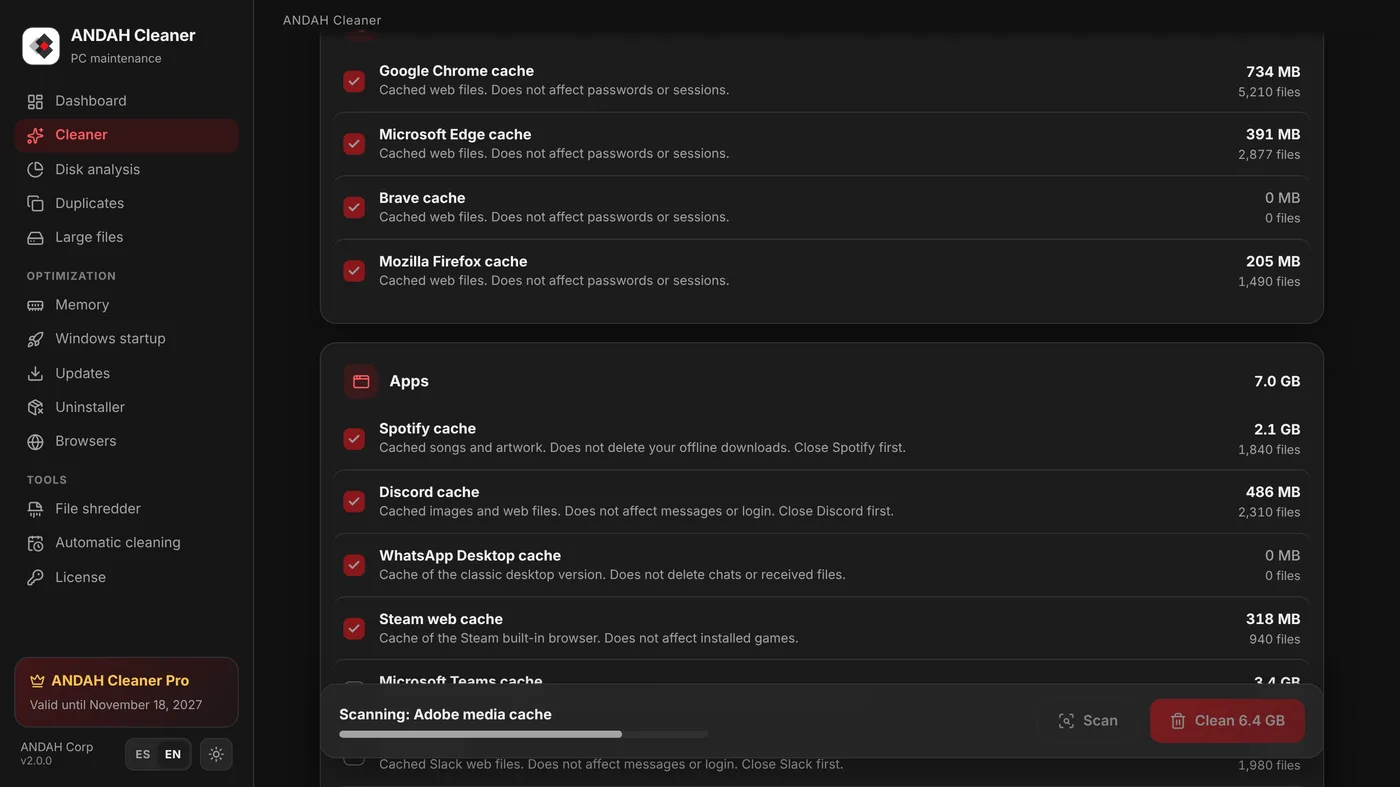
Removes temporary files from Windows and apps, empties the Recycle Bin and deletes the thumbnail cache, error reports and Windows Update downloads that were already installed.
- Browsers: Chrome, Edge, Brave and Firefox cache, without touching passwords or sessions.
- Apps: Spotify, Discord, WhatsApp Desktop and Steam cache.
Free
Disk analysis
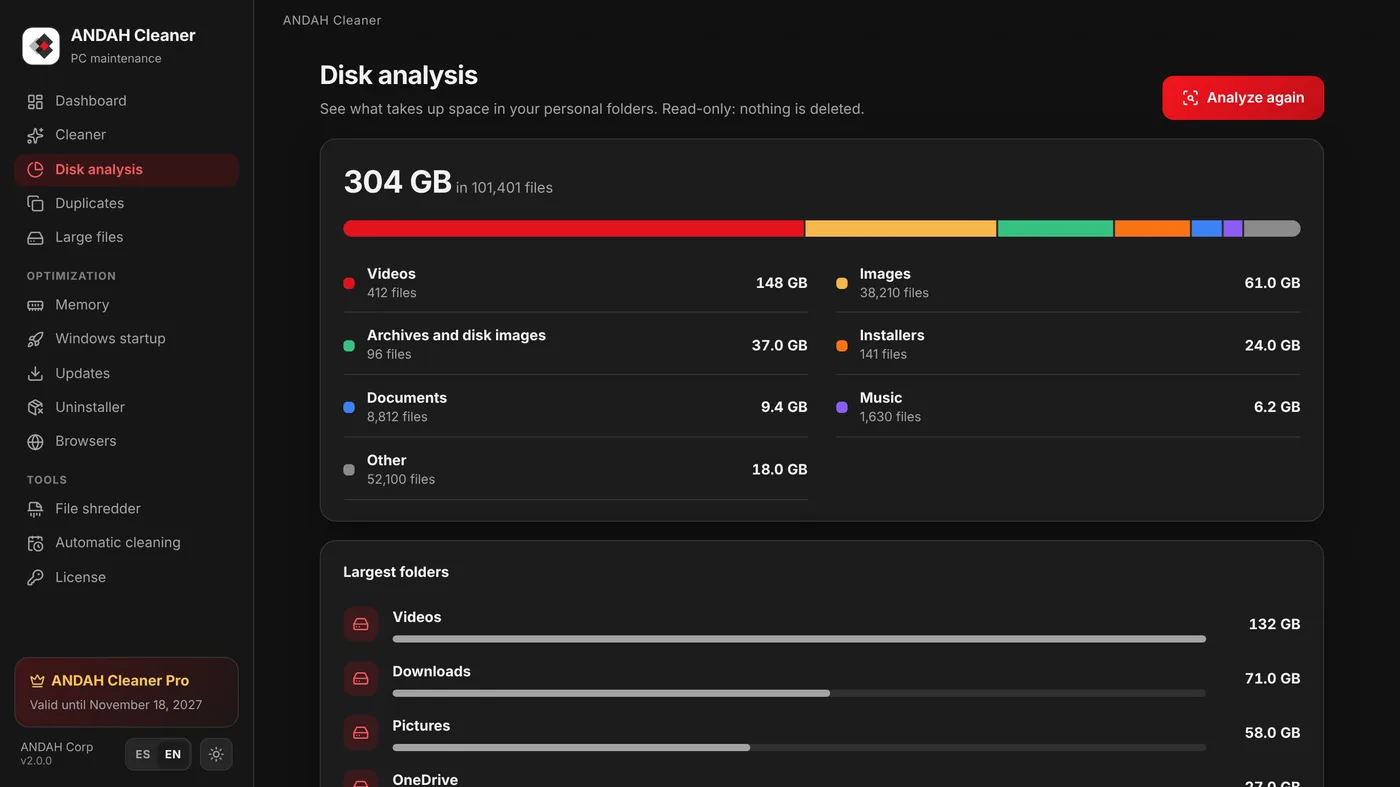
See what fills your drive: videos, pictures, music, documents, installers and archives, plus the heaviest folders. It only reads; it never deletes anything.
Free
Duplicate finder
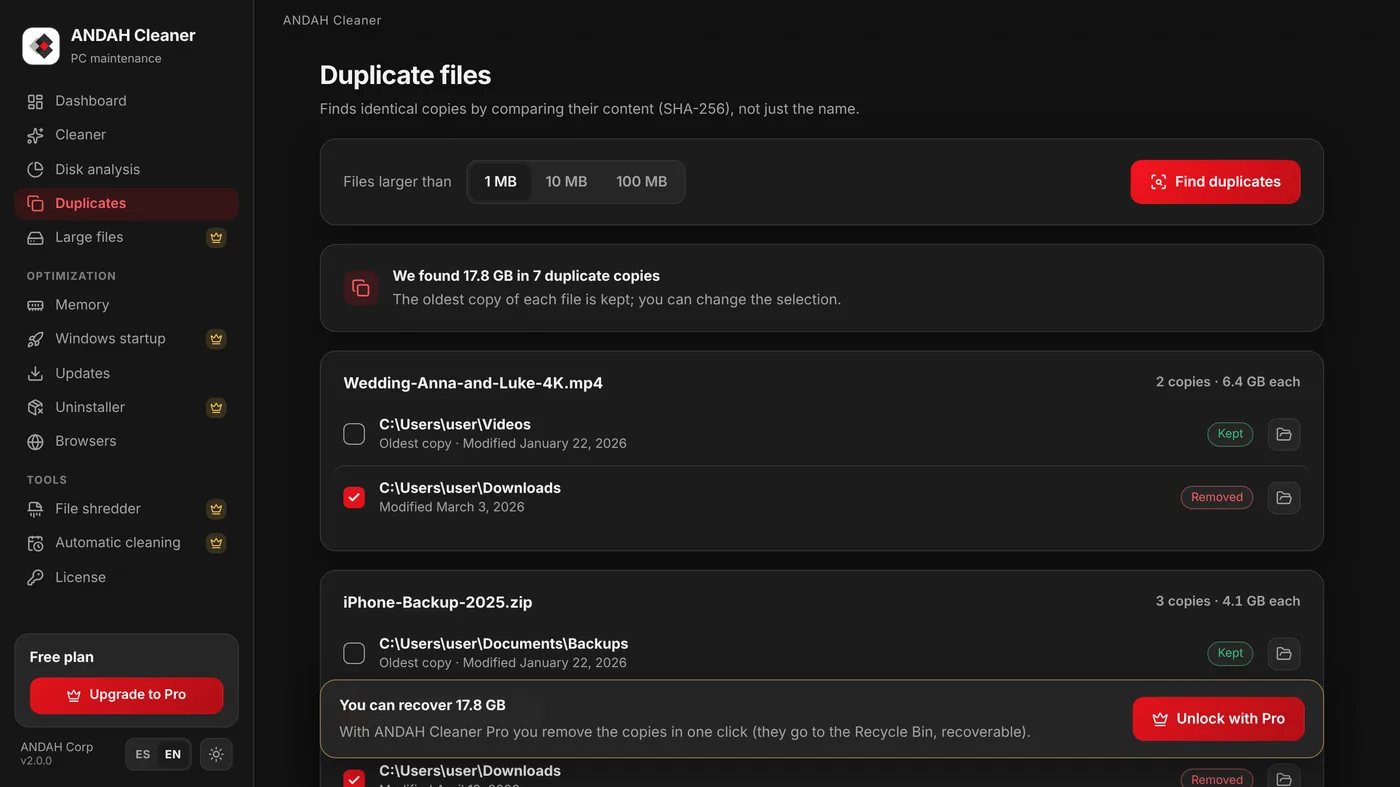
Finds identical copies of photos, videos and downloads by comparing their actual content (SHA-256), not just the name, and tells you how many gigabytes the repeated copies take up.
Pro With Pro you remove them in one click.
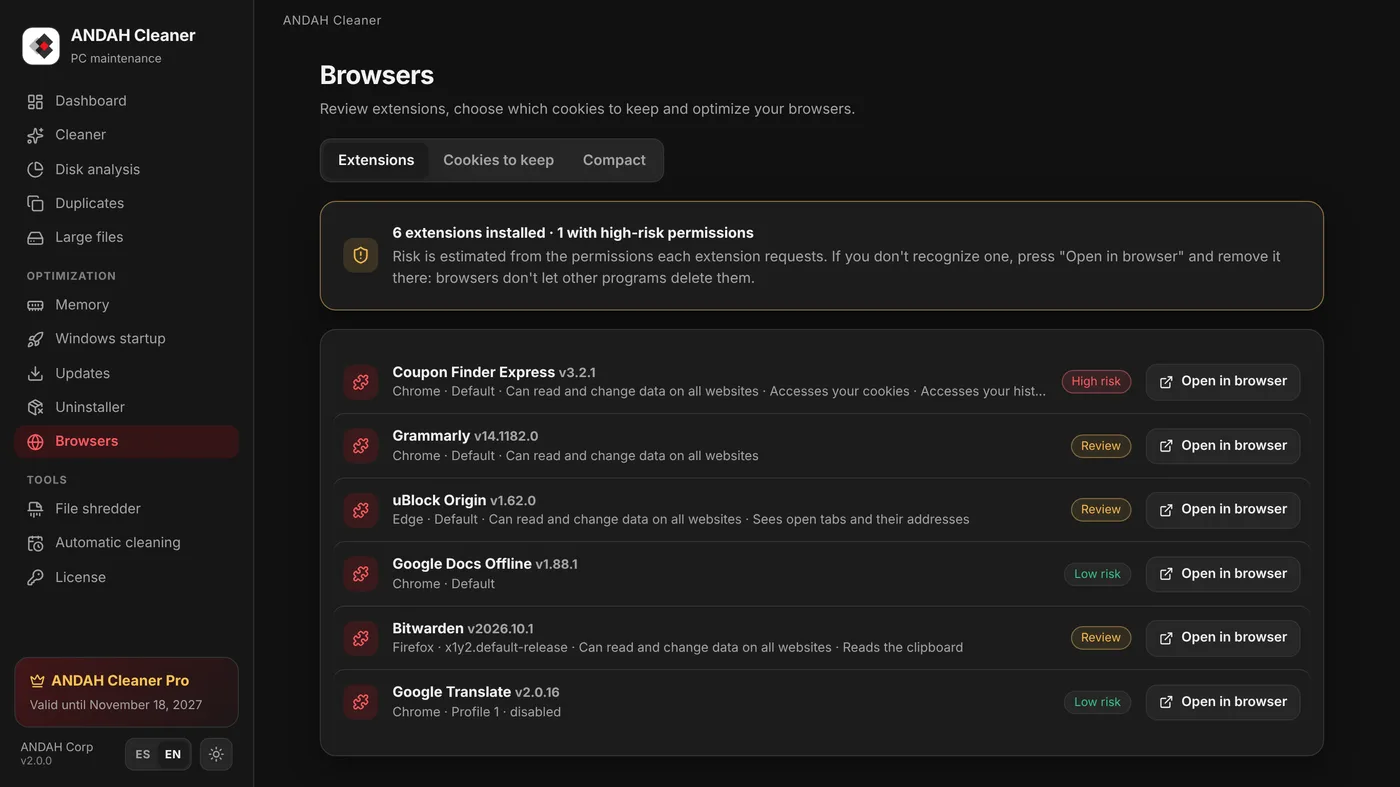
Free
Browser extension review
Lists your Chrome, Edge, Brave and Firefox extensions with a risk level based on the permissions they request, such as reading every website or your cookies. One button takes you to the extension in your browser to remove or disable it.
Health dashboard
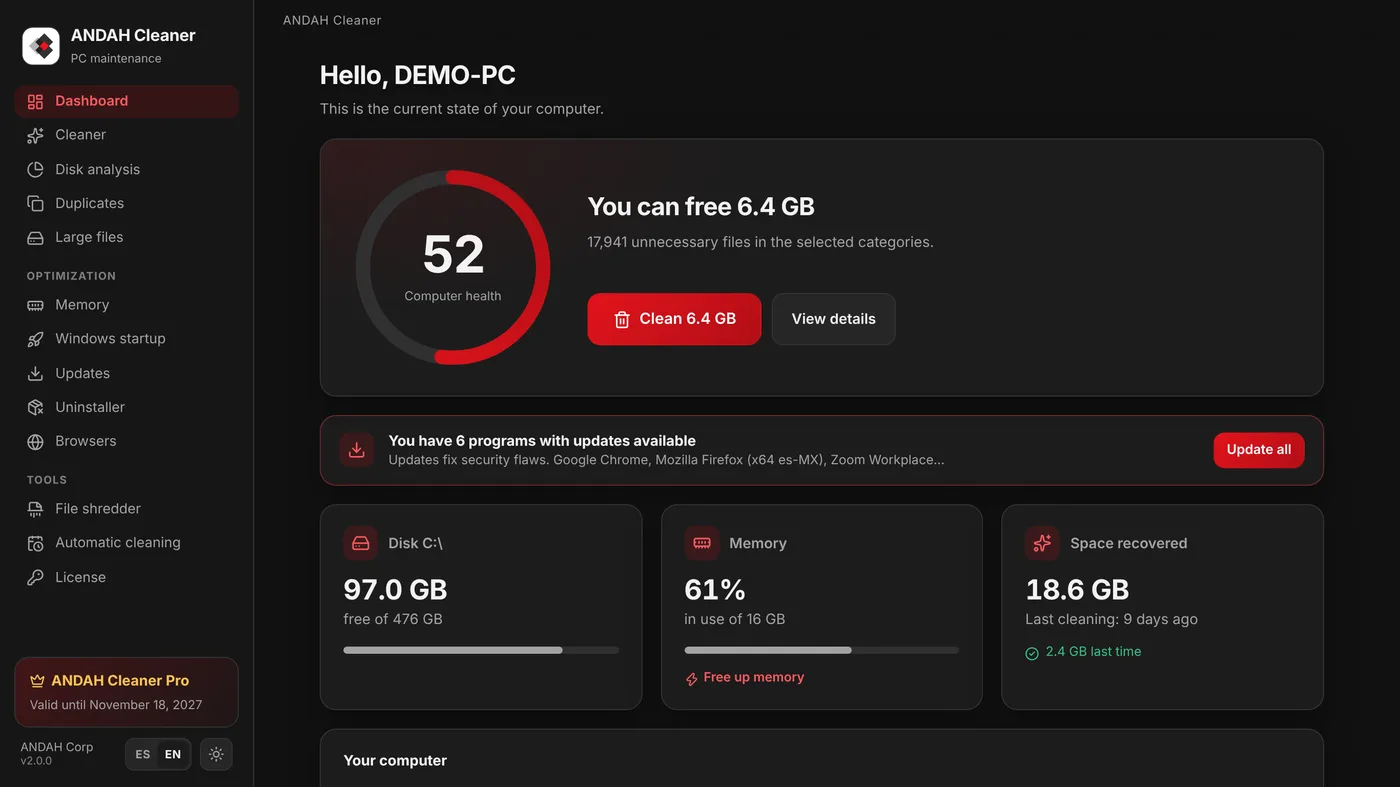
Free disk space, memory in use, space recovered over time and how much you can free up right now, with a single button to clean.
Memory
See which programs use the most memory and close them in one click. It first asks them to close as if you clicked the X, so they can save your work. Windows components can never be closed from here.
Update alerts
Tells you which programs have a newer version, using winget, the official Windows package manager. With Pro you update them all in one click.
ANDAH Cleaner Pro
Advanced tools and automation
Pro is activated with a license key inside the same app. Nothing to reinstall.
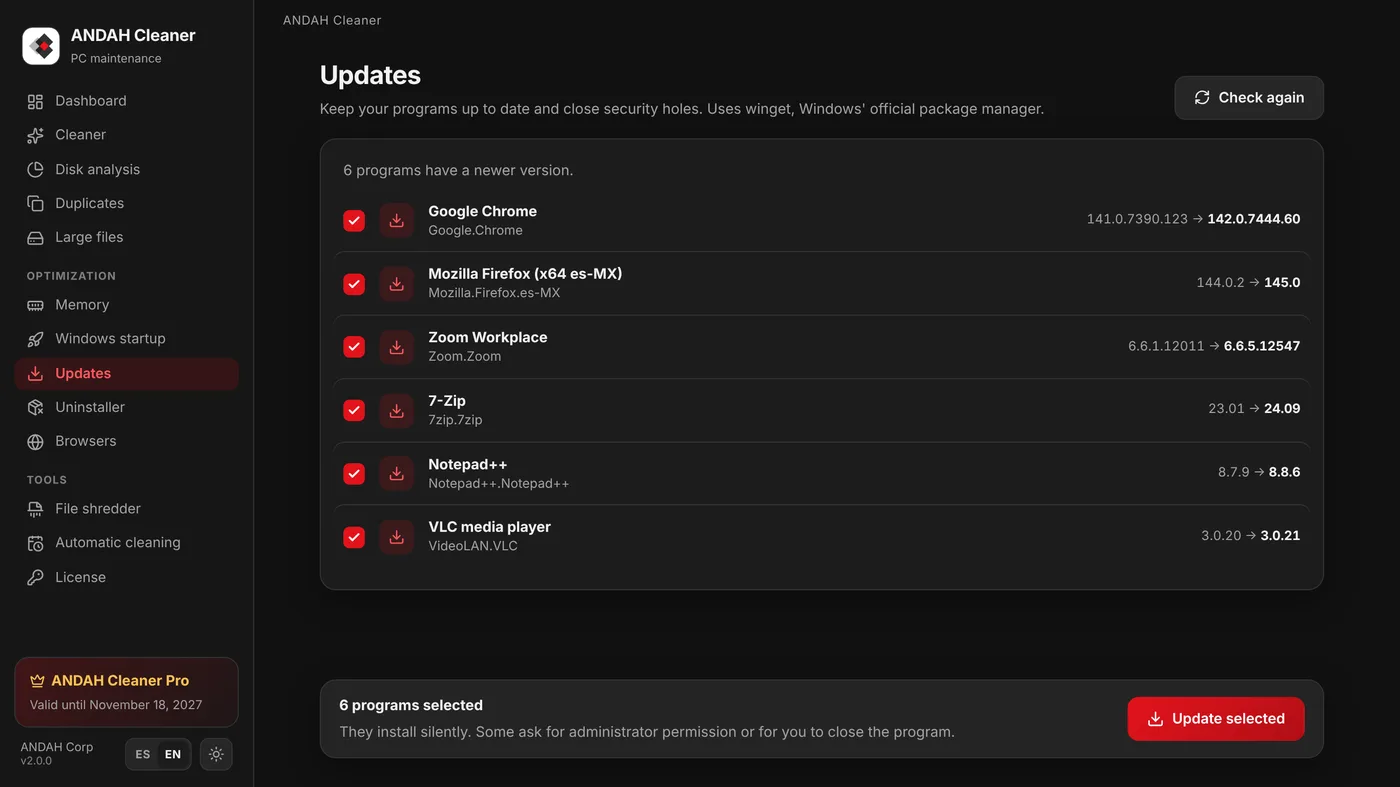
Pro
Update all your programs in one click
Installs new versions silently, one program at a time, showing progress and what each Windows permission prompt is for. If something fails, it tells you why.
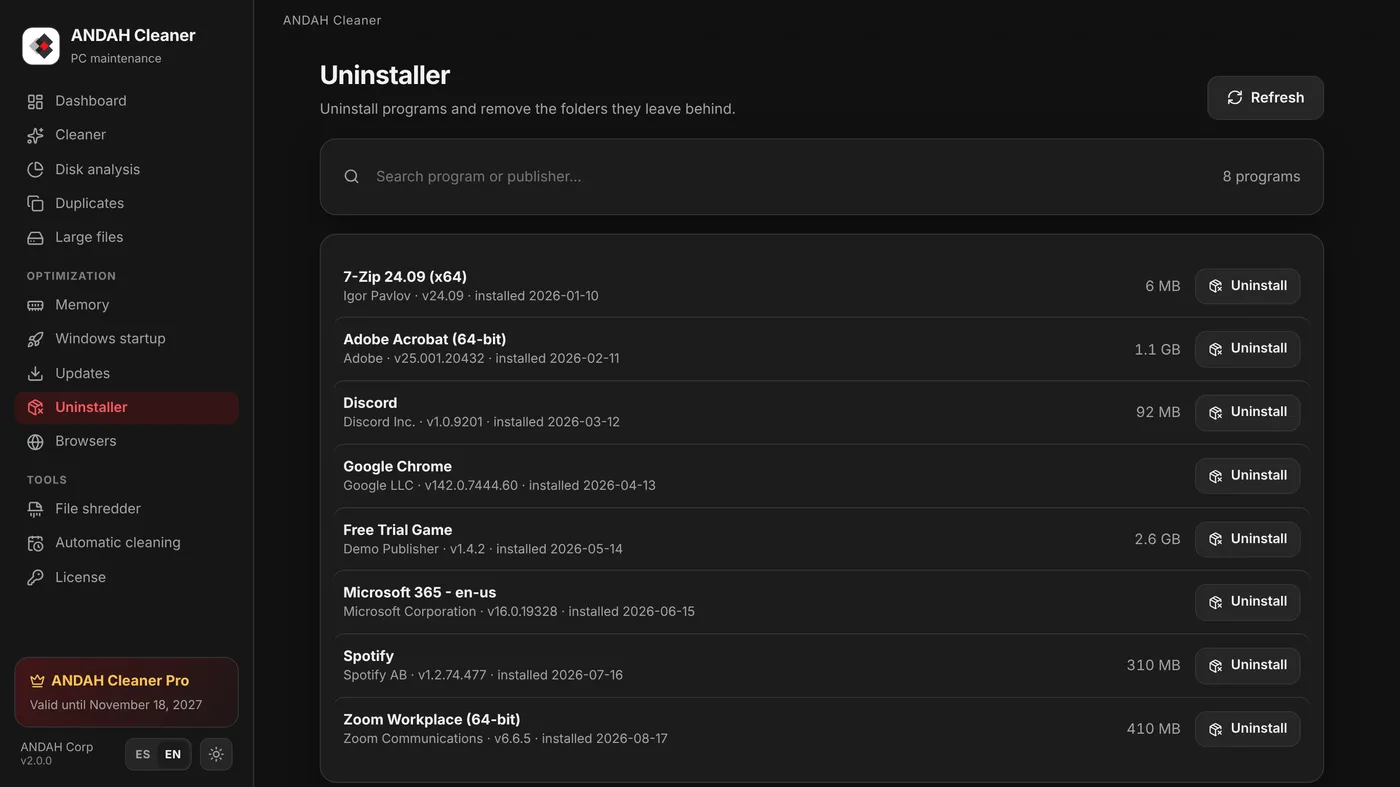
Pro
Uninstaller with leftover cleanup
Lists every installed program with its size, opens each one's official uninstaller and, when it's done, finds the folders left behind so you can send them to the Recycle Bin.
Remove duplicates in one click
Recover gigabytes of repeated copies. At least one copy of every file is always kept, and anything removed goes to the Recycle Bin.
Privacy cleanup with cookies to keep
Clears history, cookies and recent documents while keeping cookies for the sites you choose (bank, email, work) so you stay signed in.
Browser compaction
Reorganizes history, icons and autofill so your browsers feel snappier, without deleting any data.
File shredder
Deletes contracts, records and client data by overwriting their content so they can't be recovered. On SSDs the app explains the limits and recommends BitLocker.
Work app cache
Cleans the cache of Microsoft Teams, Slack, Zoom and Adobe (Premiere, After Effects, Audition), which often piles up several gigabytes.
Startup manager and large files
Choose which programs start with Windows so your PC boots faster, and find the heaviest files in your folders.
Automatic cleaning
Schedule a daily, weekly or monthly cleanup that runs in the background from the system tray.
Comparison
Free vs. Pro
| Feature | Free | Pro |
|---|---|---|
| Temp files, Recycle Bin and browser cache cleanup | ✓ | ✓ |
| Spotify, Discord, WhatsApp and Steam cache | ✓ | ✓ |
| Health dashboard and memory release | ✓ | ✓ |
| Visual disk analysis | ✓ | ✓ |
| Browser extension review | ✓ | ✓ |
| Duplicate finder | See results | Remove in one click |
| Program updates | See which ones | Update in one click |
| Uninstaller with leftover cleanup | — | ✓ |
| Privacy cleanup with cookies to keep | — | ✓ |
| Browser compaction | — | ✓ |
| File shredder | — | ✓ |
| Teams, Slack, Zoom and Adobe cache | — | ✓ |
| Startup manager and large files | — | ✓ |
| Scheduled automatic cleaning | — | ✓ |
Coming soon
What's coming in ANDAH Cleaner 3.0
We keep improving the app with useful, safe features. Here's what we're working on.
Disk and battery health
A clear check-up of your PC: remaining life and temperature of your SSD and, on laptops, the battery's real capacity compared to the original. It only reads the information; it doesn't change anything.
Maintenance report
Create a PDF report in one click with the PC's specs, disk and battery health, space freed and programs updated. Ideal for technicians and IT departments.
Graphics and developer caches
Recover gigabytes other cleaners ignore: old NVIDIA and AMD driver installers, shader caches and programming tool caches. Always optional.
Features and whether they are part of the Free or Pro plan may change before release.
Plans
Start free. Upgrade to Pro whenever you want.
Free
$0 · forever
- System, browser and app cleaner
- Health dashboard and memory
- Disk analysis
- Extension review
- Duplicate and update diagnostics
 Get it from Microsoft Store
Pro
License key · price on request
- Everything in Free
- Duplicates and updates in one click
- Uninstaller, shredder and advanced privacy
- Scheduled automatic cleaning
- For home or business, one or many PCs
Email us and we'll send your key XXXXX-XXXXX-XXXXX-XXXXX. Paste it in ANDAH Cleaner → License → Activate. Need it for your whole company? Ask us about business licenses.
Security and privacy
Your data stays on your PC
Distributed by Microsoft Store
Downloaded and updated from the official Windows store, signed by Microsoft.
Everything happens on your PC
Cleaning and analysis run inside your computer. Your files, history and cookies are never sent to any server.
The free version sends no data
Pro only sends what's needed to validate the license: the key, an anonymous device ID, the device name and the app version.
Recoverable
Anything you might want back goes to the Recycle Bin instead of being deleted right away.
Respects Windows
It never modifies system files or closes Windows processes.
Real support
Behind it are real engineers in Ciudad Juárez, Mexico, with more than 20 years of experience.
FAQ
Frequently asked questions
Is it free?
Yes. Cleaning, the health dashboard, disk analysis, extension review and the duplicate and update diagnostics are free forever. Pro adds automation and advanced tools.
Is it safe? Can it delete something important?
It only cleans known temp and cache folders, keeps temp files from the last 24 hours and sends duplicates, large files and program leftovers to the Recycle Bin so you can recover them.
Will it sign me out of websites?
Clearing browser cache doesn't sign you out. Clearing cookies does, except for the sites you add to "Cookies to keep" (Pro).
Does it work on Windows 10?
Yes, on 64-bit Windows 10 and Windows 11.
Which languages does it support?
English and Spanish. Switch inside the app with the ES | EN selector.
How do I activate Pro?
With the license key we send you: in the app, go to License, paste it and click Activate.
Can I use my license on another PC?
Yes, depending on how many PCs your license covers. To move it, deactivate it on the old PC from License → Deactivate on this PC.
Do I need internet?
Only to activate Pro and to check for program updates. Pro keeps working for up to 14 days offline.
Where can I get help?
Email us at [email protected].
Give your PC the maintenance it deserves.
Download it free from Microsoft Store and try it today.
Get it from Microsoft Store